
Loading …
Preparing your tool
Loading …
Preparing your tool
Cookies & privacy
We only use three technically necessary cookies (login, language, your cookie decision). Google AdSense advertising is loaded exclusively with your consent. It helps cover the server costs. You can change your choice at any time under “Cookie settings” in the footer. Privacy policy
The map tool built from real mission data: every loot building, tier and usage zones straight from the game files, dynamic events like heli crashes and vehicles, animal territories, gas zones, wells and fuel stations. Pick an item from the database and instantly see where it can spawn.
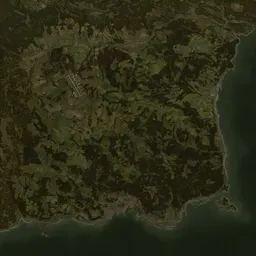
Chernarus
15.36 × 15.36 km · loot, events, zones
Livonia
12.8 × 12.8 km · loot, events, zones
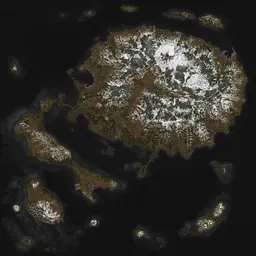
Sakhal
15.36 × 15.36 km · loot, events, zones
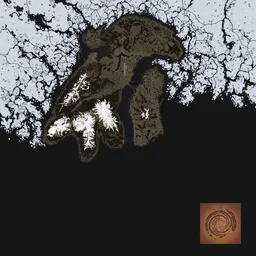
Namalsk
12.8 × 12.8 km · loot, events, zones
Nasdara
16.384 × 16.384 km · loot, events, zones
Item search connected to the item database: pick any weapon or item and see every building and zone where it can spawn, including tier information.
Real data instead of hand-drawn markers: loot buildings, tier and usage zones, events and animal territories are parsed directly from the official mission files of the current game version.
All three official maps with satellite imagery, place names, wells, fuel stations, gas zones and player spawn points, free and mobile-friendly.
Choose a map. The satellite view loads with place names; the panel on the right holds all layers: loot by usage (military, police, hunting …), tier zones, events, animals, dangers and points of interest.
Search an item to see where it spawns: matching buildings light up and the item's usage zones are overlaid. The item card shows tiers and the number of matching buildings.
Click any loot building for details: what categories spawn there, how many loot points it has and whether your selected item can appear in it.
Everything the server actually uses: loot buildings with their categories and usage flags, loot tier zones, dynamic events like heli crashes and vehicle spawns, animal territories (wolves, bears and more), static gas zones, wells, fuel stations and fresh-spawn points, for Chernarus, Livonia, Sakhal, Nasdara and Namalsk.
Use the item search on the map: it connects our item database with the central economy data. Every building where the item can spawn is highlighted, and the matching usage zones are shown as an overlay, plus the loot tiers of the item.
Yes. All layers are generated directly from the official Bohemia mission files (mapgroupproto/mapgrouppos, areaflags, cfgeventspawns, env territories) of the current game version, not drawn by hand. After each DayZ update the data is regenerated.
The central economy splits each map into loot value zones: Tier 1 (coast/spawn areas, common loot) up to Tier 4 (far inland/military, top loot); Sakhal and Livonia additionally use special zones. An item's value flags decide in which tiers it can spawn, and the tier overlay shows those zones exactly as the game defines them.
Chernarus, Livonia, Sakhal and Nasdara from the base game plus the community map Namalsk, each with its own page, satellite imagery and complete data. Other community maps are missing because their mission files are not public.
 Advertising partner
Your server. Your rules.
8 to 125 slots for PC, PlayStation and Xbox. Subscription or prepaid, daily backups, DDoS protection, and every config file open for the editors on this site.
Affiliate link: same price for you, we receive a commission and use it to fund DZPage.
List it on DZPage for free: PC, PlayStation and Xbox, with a live player count, votes, comments and your own server page. No premium slots, no payment, no waiting.
16,187 visitors in 30 days · free, no premium slots
Ask in the DZPage Discord: server owners and the developer answer there. New tools get announced first.
Use our partner link and get 10% off every order at GPORTAL: servers for PC, PlayStation and Xbox.
Get 10% offAdvertising partner · Partner link: you save 10%, we earn a commission.
