
Loading …
Preparing your tool
Loading …
Preparing your tool
Cookies & privacy
We only use three technically necessary cookies (login, language, your cookie decision). Google AdSense advertising is loaded exclusively with your consent — it helps cover the server costs. You can change your choice at any time under “Cookie settings” in the footer. Privacy policy
Place objects on the real 3D terrain and export a file your server loads on its own — no mod, no PC client, works on Xbox and PlayStation servers.
Loading object catalogue…
Pick an object on the left, then click the terrain. Click a placed object to select it.
Hold the left mouse button to pan the map, right button orbits, wheel zooms. A short click places or selects.
Nothing placed yet.
The eye only affects the view — hidden objects are still written to the output file. Drag a row onto a folder to sort it in; Ctrl and Shift select several at once.
Nothing selected.
Loading height data …
objects.json
{
    "WorldsData": {
        "objectSpawnersArr": [
            "objects.json"
        ]
    }
}Paste an existing ObjectSpawner JSON, init.c, Expansion .map or mapgrouppos.xml — the format is detected automatically.
Chernarus · 15360 m
Every vanilla object: 4898 classes from the game's own configuration, plus every tree, bush and rock the engine allows you to spawn by model path.
Millimetre-exact ground height. The height rule was measured against a running DayZ server — 1360 sample points, worst case 2.7 mm.
Four output formats: ObjectSpawner JSON for the vanilla server, init.c, Expansion .map and mapgrouppos.xml.
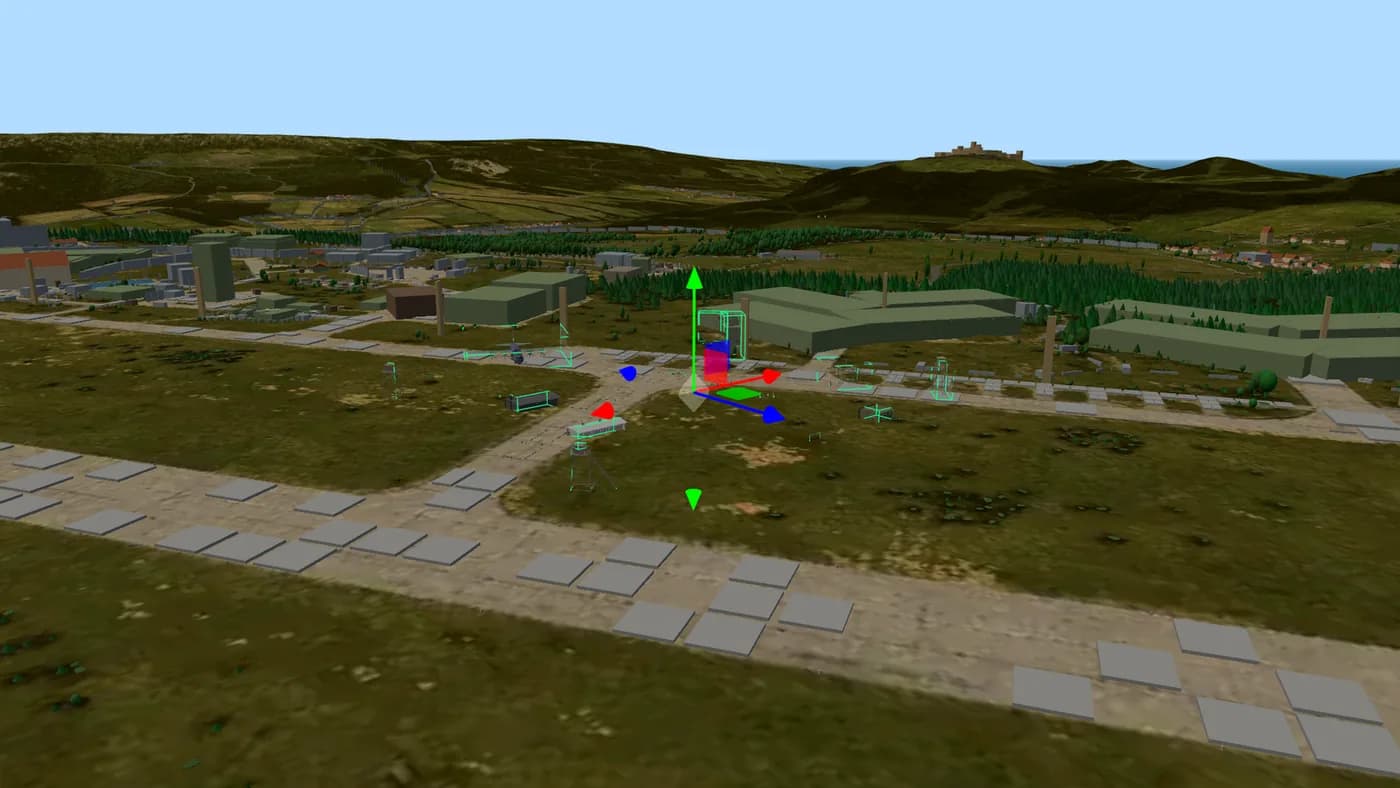
Pick an object from the catalogue on the left and click the terrain. The editor drops it onto the ground at exactly the height the game itself reports there, so nothing floats or sinks. Click a placed object to select it, then move, rotate, scale or delete it — either with the buttons or by typing exact numbers.
The catalogue is not a hand-written list. It is generated from the game's own configuration files: every class that carries a model and is not hidden, which is 4898 objects, plus the trees, bushes and rocks the engine lets you spawn by model path. Each object is shown with its real geometry, taken from the game's own model files.
When you are done, export the ObjectSpawner file. That is the vanilla path the DayZ engine itself provides, so it needs no mod at all — which is exactly why it works on Xbox and PlayStation servers, where mods are impossible.
Yes. The export uses the object spawner that is built into the DayZ engine and reads its objects from cfggameplay.json. No mod is involved, so console servers can use it — you only need file access to your mission folder, which every hoster provides.
Yes, and that was measured rather than assumed. A test mission loaded a generated file on a real DayZ server and read back where every object actually stood: position, rotation and scale came back unchanged. Ground height matches the engine to within 2.7 mm across 1360 sample points.
Not by themselves. The Central Economy takes its loot positions from mapgrouppos.xml, and an object spawner entry is not in that file. The editor can write the matching mapgrouppos.xml entries for you — export in that format as well and merge them into your mission's file.
Because the game is built that way. Trees, bushes and rocks live in CfgNonAIVehicles and carry no model of their own, so spawning them by class name produces nothing — tested, and nothing appeared. The engine instead allows model paths below DZ\plants and DZ\rocks, which is exactly the set that has no usable class. The editor handles both cases for you.
Chernarus, Livonia and Namalsk. Sakhal is missing because its world file is encrypted paid DLC — there is no terrain data to build a 3D view from, and that limit applies to every 3D feature here.
Yes. Paste it into the import box — ObjectSpawner JSON, init.c, Expansion .map and mapgrouppos.xml are all recognised automatically, and the objects appear in 3D where they really are.
 Advertising partner
Your server. Your rules.
8 to 125 slots for PC, PlayStation and Xbox. Subscription or prepaid, daily backups, DDoS protection – and every config file open for the editors on this site.
Affiliate link: same price for you, we receive a commission and use it to fund DZPage.
List it on DZPage for free: PC, PlayStation and Xbox, with a live player count, votes, comments and your own server page. No premium slots, no payment, no waiting.
8,753 visitors in 30 days · free, no premium slots
Ask in the DZPage Discord — server owners and the developer answer there. New tools get announced first.
Use our partner link and get 10% off every order at GPORTAL — servers for PC, PlayStation and Xbox.
Get 10% offAdvertising partner · Partner link: you save 10%, we earn a commission.
